
- Click Manage Clients
- Click Add Client - You will be given the window seen here
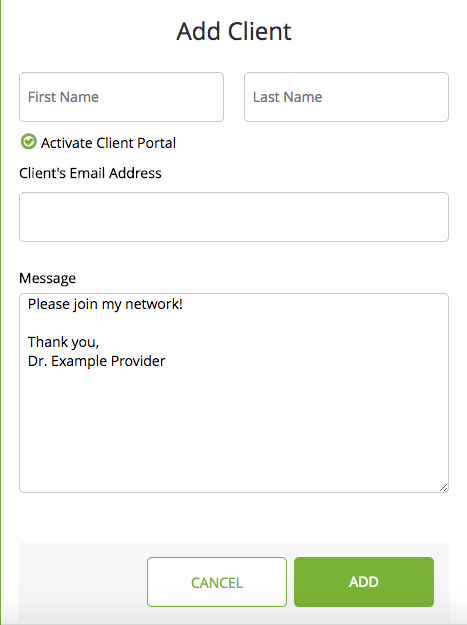
- Enter client’s first name, last name and email address
- Keep Activate Client Portal checked. This will ensure that the client receives an email inviting them to access their client portal and complete registration. To witness the client experience, watch this video.
If you only plan to see a client in-person and don’t want to have any online interactions with them or have them receive session reminders, Uncheck the Activate Client Portal option.
By entering the client’s first and last name, they will be added to the portal as a client but will not receive an email to complete registration. You will not be able to contact this client through Therapy Sites, send them session reminders, or documents without adding their email, but this will allow you to create their client file, bill and schedule sessions for your own purposes!
Comments
0 comments
Please sign in to leave a comment.